For court, for records, for remembering
Print your texts.
Court-ready.
Turn an iPhone or Android conversation into a clean PDF with every date, time and phone number. Works on Windows, no Mac needed. Nothing gets uploaded.
Free preview of the first 50 messages · $12 per chat · No account
How it works
Three steps. About ten minutes.
01
Back up your phone
iPhone: make a backup on your computer with the Apple Devices app, iTunes, or Finder. Android: make a backup with the free app SMS Backup & Restore. Step-by-step guide
02
Choose the conversation
Open the backup here, pick the person, set the dates, and star the messages that matter. SMS and iMessage threads with the same person are combined.
03
Download the PDF
Check the free preview first. Then download the full PDF, print it, or attach it to a filing. Keep your phone as it is in case anyone asks for the original.
What's in the PDF
Everything a judge or lawyer looks for.
Screenshots get cropped and lose context. A transcript shows the whole conversation in order, with the details that identify each message.
- 01Every message, in order, numbered from first to last
- 02Date, time and sender on each message, with phone numbers
- 03Bates numbers on every page (you choose the prefix) and "Page X of Y"
- 04Key messages index: the texts you starred, with the page each is on
- 05Cover page with the date range, time zone, message count and source
- 06SHA-256 fingerprint of the source file, so anyone can confirm which file was used
- 07Photos where they were sent, and other attachments listed by name
- 08Declaration template you can fill in and sign (Court Pack)
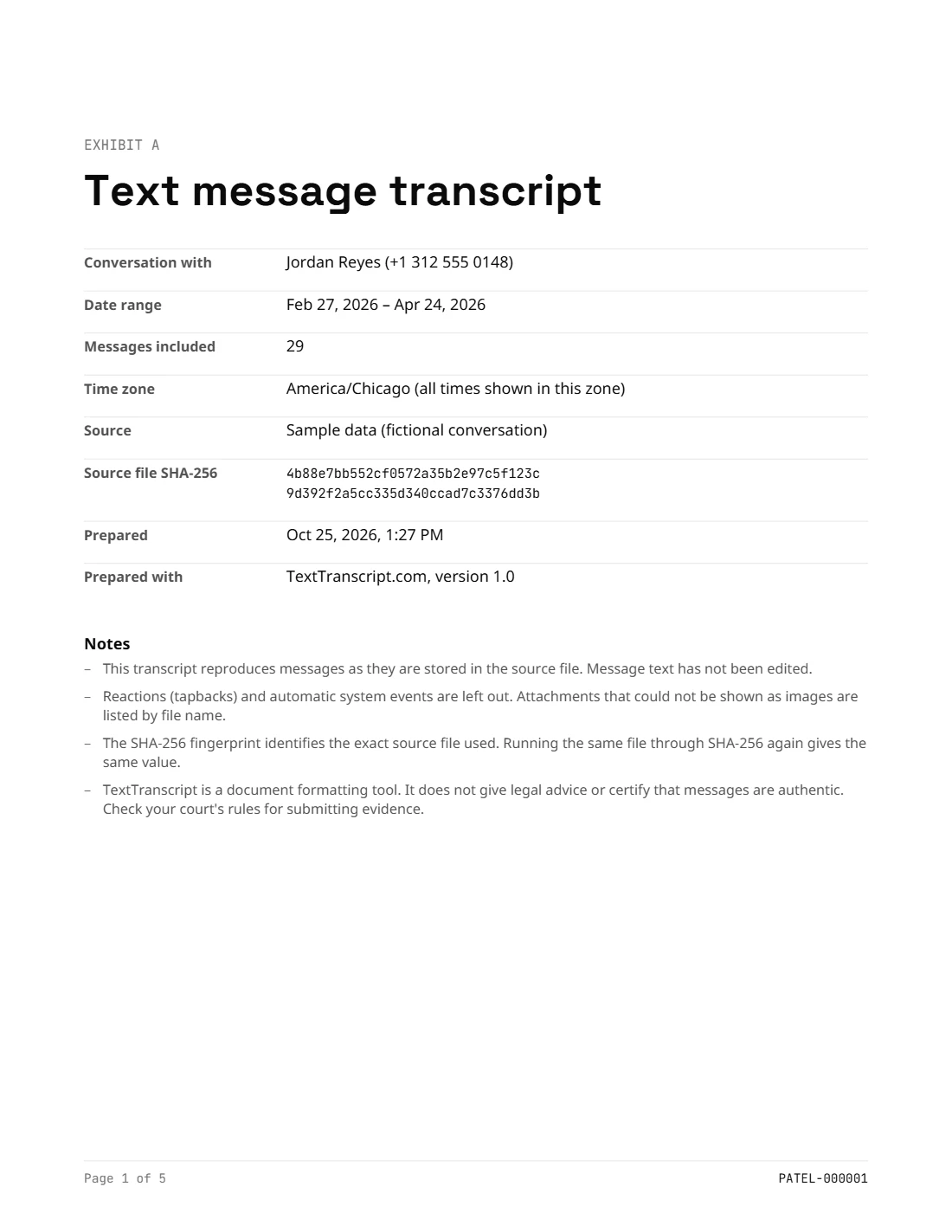
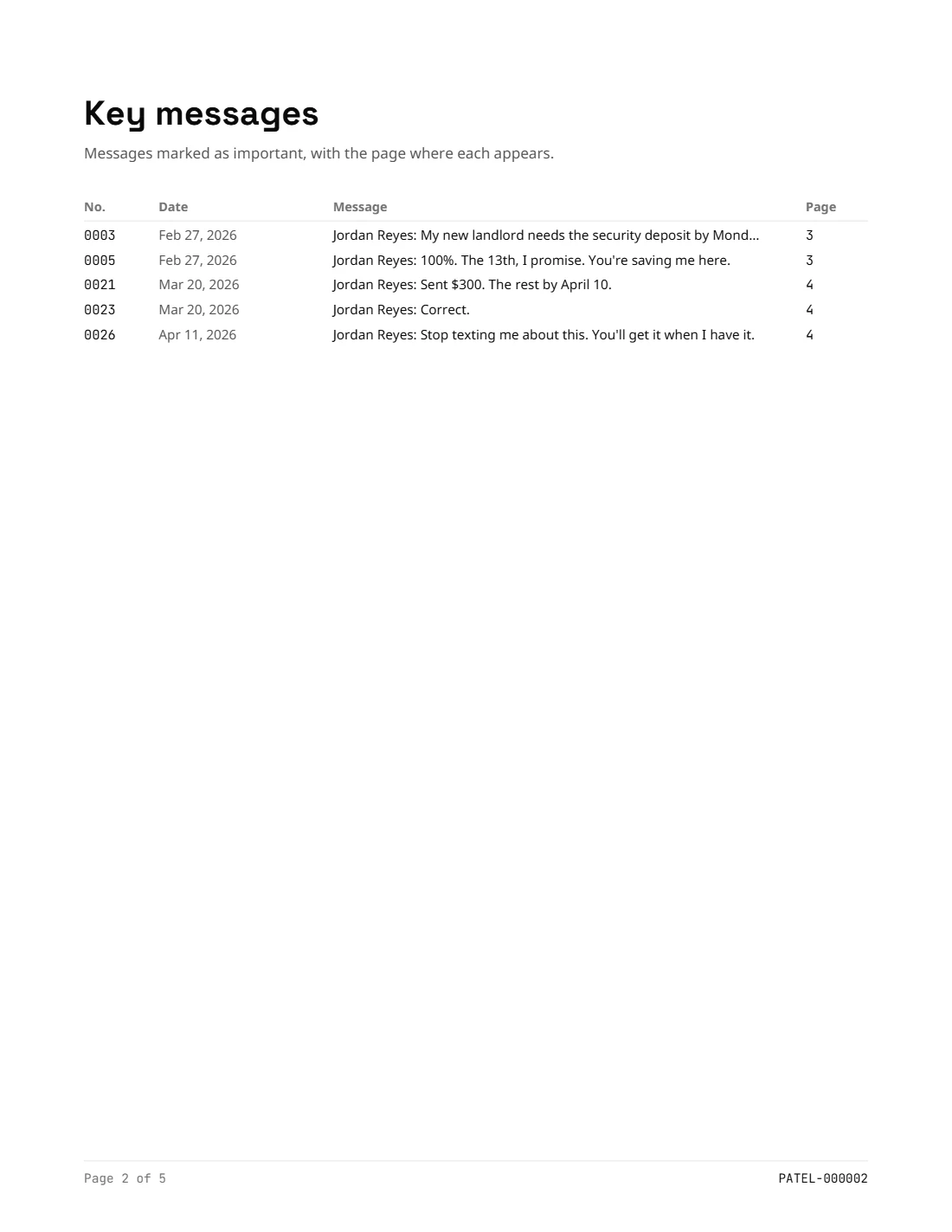
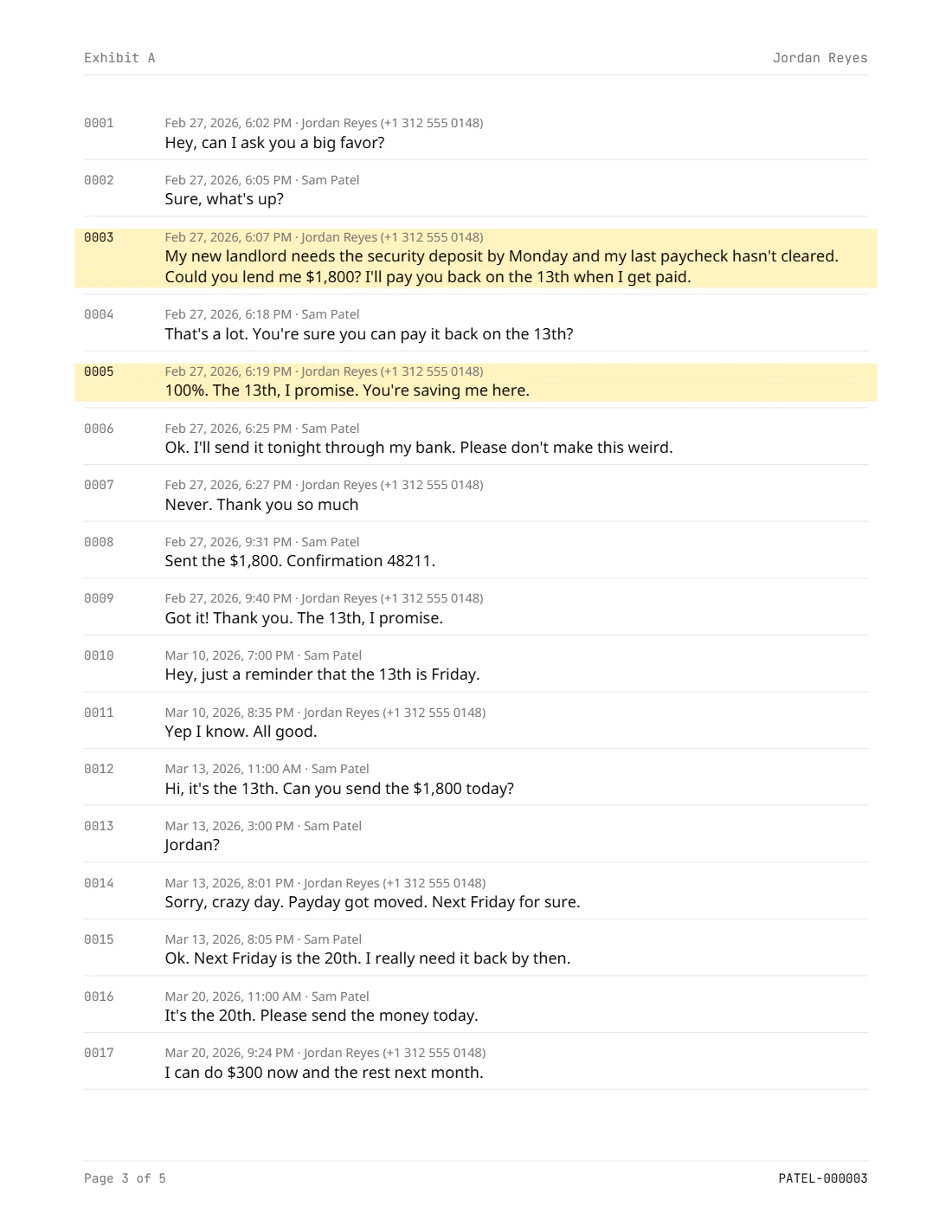
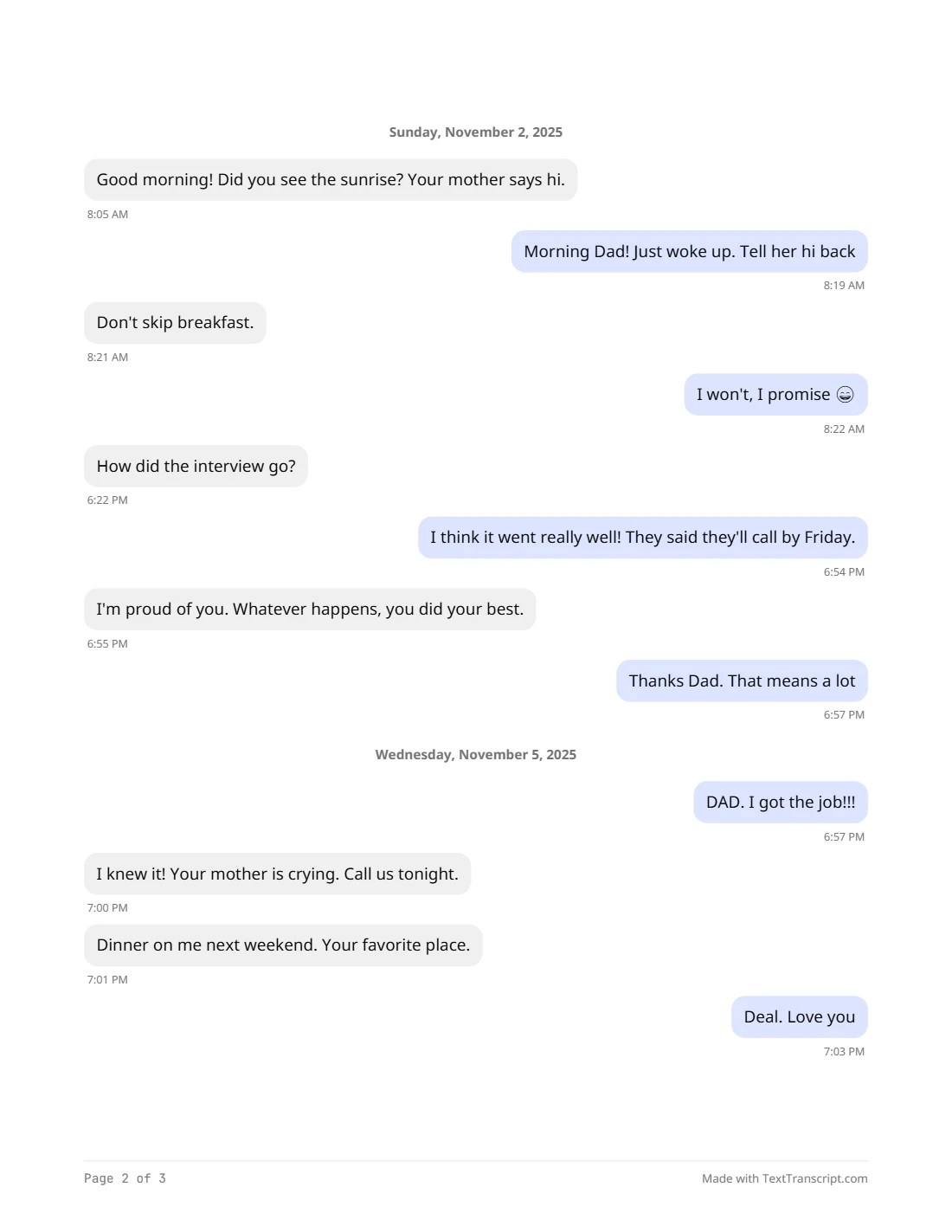
Made with TextTranscript from fictional conversations.
Privacy
Your messages never leave your computer.
Most "text message export" websites ask you to upload your messages to their server. TextTranscript doesn't have a server that could receive them. The whole tool runs inside your browser tab: it reads the backup, builds the PDF, and saves it to your computer.
The site's security policy blocks this page from sending data anywhere except the payment checkout, and checkout never sees your messages. You can check it yourself: open the app, turn off your Wi-Fi, and keep working.
Who uses it
People going to court
Custody, divorce, small claims, protective orders. Bring a clean, complete printout instead of a stack of screenshots.
Lawyers and paralegals
Turn a client's backup into a numbered exhibit in minutes. Bates prefix and start number match your production.
Families
Keep the conversations with someone you've lost. The Memory style prints them as chat bubbles, by day, made to keep.
Pricing
Pay once. No subscription.
Not happy with the PDF? Email us within 14 days for a full refund. Pricing details
Questions
Straight answers.
Will the court accept this PDF?
It depends on your court and judge. Many courts accept printed text messages when they show dates, times and who sent them, along with your testimony or a declaration that they're accurate. We can't promise any court will accept it, and we don't give legal advice. If the case is serious or the other side disputes the messages, ask a lawyer whether you need a forensic extraction.
Do I need a Mac?
No. You can back up an iPhone on Windows with Apple's free Apple Devices app (or iTunes), then open that backup here in Chrome or Edge.
Are my messages uploaded anywhere?
No. The backup is read inside your browser and the PDF is made on your computer. We never receive your messages, contacts or photos.
My backup is encrypted. What do I do?
Encrypted backups can't be read yet. In the Apple Devices app, iTunes or Finder, untick "Encrypt local backup" (you'll need the backup password), make a new backup, and open that one.
Some messages are missing.
If you use "Messages in iCloud", older messages may only live in iCloud and not in your backup. Turn Messages in iCloud off on the iPhone (Settings › your name › iCloud) so the messages download to the phone, then make a new backup.
Does it work with Android and WhatsApp?
Android SMS and MMS: yes, using a backup file from the free app SMS Backup & Restore. WhatsApp isn't supported yet.
Are photos included?
Yes. Photos, including iPhone HEIC photos, are placed where they were sent. Chats with hundreds of photos take longer to build, and you can turn photos off to make a text-only PDF. Videos and other files are listed by name.
Free guides
Step-by-step help.
- How to print text messages from an iPhoneFour ways, from screenshots to a full PDF
- How to print text messages for courtWhat judges expect and how to prepare
- How to back up an iPhone on WindowsAnd where to find the backup folder
- How to get a text message transcriptCarrier, phone, or backup: which to use
- How to print text messages from AndroidWith the free SMS Backup & Restore app
- How to save texts from someone who has diedProtect them first, then keep them
See your conversation as a PDF.
Open your backup and download a free preview. You only pay if you want the whole thing.
Open iPhone backup